
WooCasino login: use a trusted account route
For a WooCasino login, open the service address you already trust and use the sign-in option shown there. If access fails, follow a recovery option presented by that same service or confirm its published support contact. Avoid unexpected message links, and never send a password or one-time code to anyone offering to restore access.
Keep one personal account
The Terms limit each individual to one personal player account. If you forget a password or cannot complete sign-in, creating another account is not a safe workaround and may create a separate account issue. Return to the original account’s recovery path instead. The Terms also mention a shared household, IP address, postal address or device as a signal when assessing possible duplicate accounts. People can share a connection or device without being the same player, so a shared signal alone is not proof. If support asks about a shared household or device, describe the situation accurately rather than trying to conceal it.
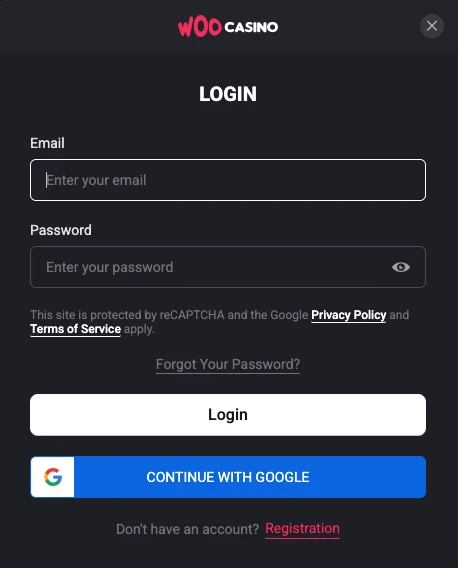
Before submitting credentials, compare the address with the service you meant to open and check that a password manager has not selected a login for another site. On a public or shared device, avoid saving credentials and sign out when finished. For the broader brand overview, see WooCasino.
If a message asks for an urgent password reset, stop and navigate to the trusted service yourself before responding. Check an unexpected request through the support contact published on the service; never pass a one-time code to someone who contacts you first. When a support reply asks for account details, compare it with the request you initiated and share only what the published channel requires.
Recognize a legitimate recovery step
Once on the service you trust, read any recovery prompt before submitting details. Ignore messages that pressure you, request your password or redirect you elsewhere. Return independently to the service and use its published support contact if no recovery option appears; do not guess an email address or call an unverified number.
If you contact support, explain that you need access to an existing account and follow the published channel’s instructions. Do not send a password, one-time code or full payment credentials in an ordinary message. Share only the account details that contact requests.
Separate account access from account checks
Withdrawal verification is separate from authentication. The Terms list valid government-issued photo ID and proof of address, with additional documents possible; a withdrawal remains pending until required checks are complete. If you can sign in but a withdrawal is pending, respond to the specific request through the trusted service.
If free spins have been credited, activate them in the Bonuses tab of the client area. Check the offer’s own terms; crediting and activation are separate from account access.
Know what account controls change
Deposit limits cap money added, loss limits address losses, and wager limits cover amounts staked. The policy offers daily, weekly or monthly periods. Cooling-off blocks casino deposits and promotions for a chosen period; self-exclusion disables the casino account, deposits, play and promotions, while withdrawals require manual handling through support. These controls are separate from sign-in. Use the service’s published support route to request the measure you need and confirm its scope.
FAQ
What should I do if a reset link arrives unexpectedly?
Do not use it just because it names the casino. Return independently to the service address you already trust and use a recovery option presented there, if available.
Does a shared device prove that I have a duplicate account?
No. The Terms treat shared devices and connections as possible signals, not automatic proof that one person holds multiple accounts. Each individual remains limited to one personal account.
Does signing in complete withdrawal verification?
No. A withdrawal remains pending until its requested checks are complete. Signing in alone does not approve it.